Important: Yardpro isn’t connected to Safaricom yet. The screen shows Test mode: no real money moves, no phone is prompted, and results are simulated. This guide explains how it will work.
Ask for payment on a phone
- Open an invoice.
- Under Request payment by M-Pesa, enter the Payer’s phone and Amount (KES).
- Choose Send payment request.
The payer gets a prompt for their PIN. When they pay, the money goes on the invoice. If it fails, the invoice stays open and nothing is charged. You can follow requests on the Payment requests (STK) tab.
Paybill payments
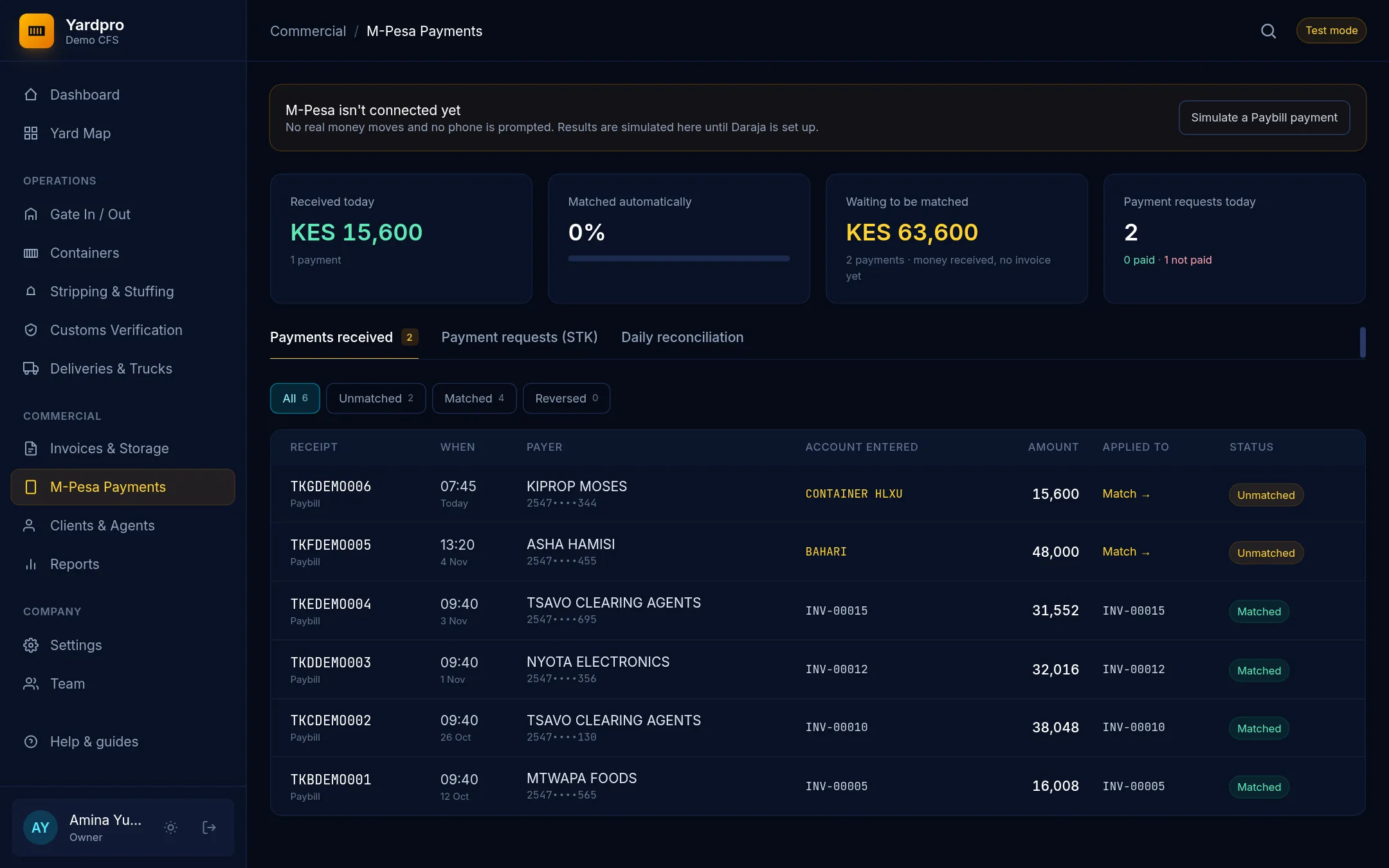
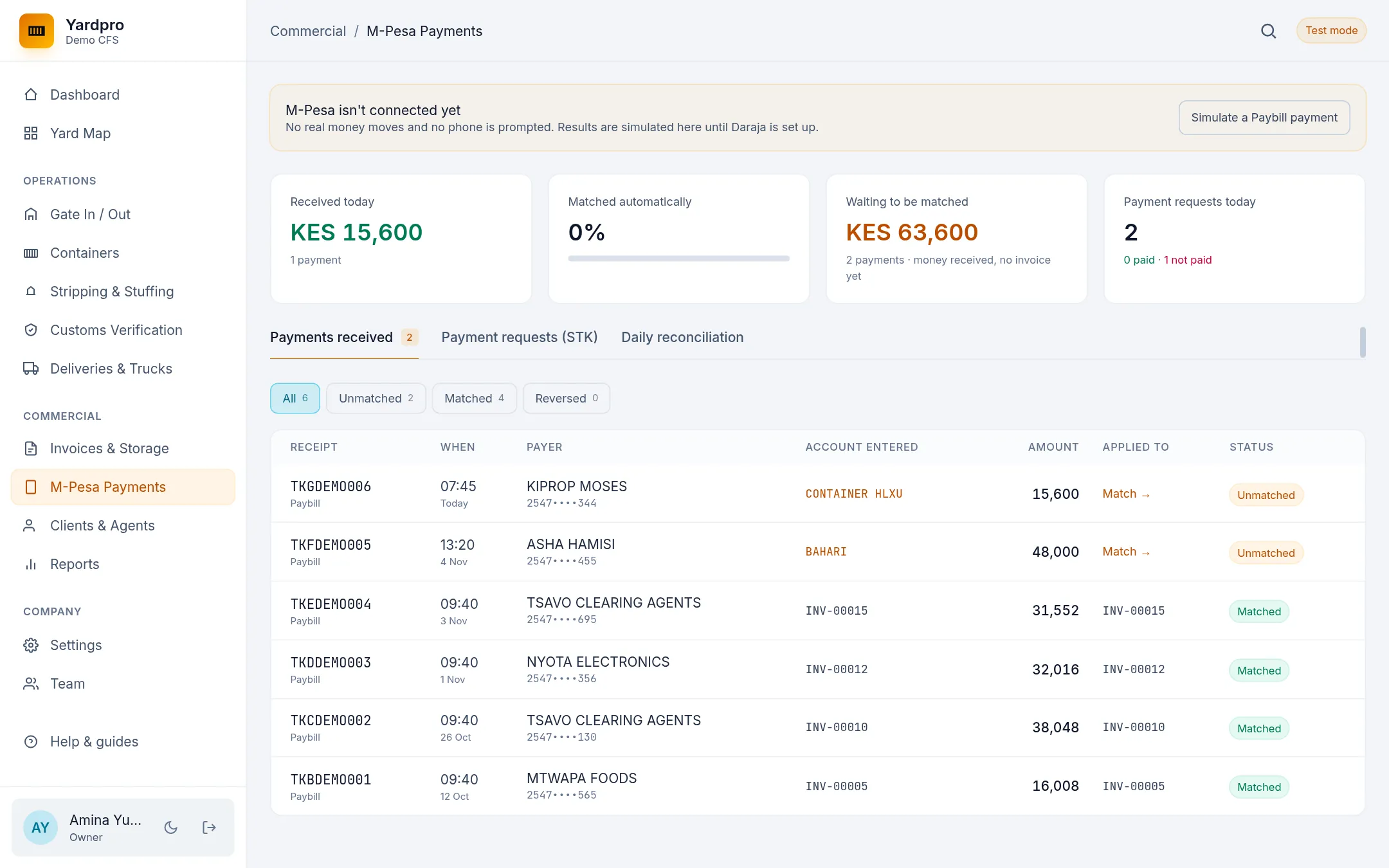
Payments made straight to your paybill appear under Payments received.
- If the account they typed is an invoice number, like
INV-00041, Yardpro matches it automatically, however it was typed. - Anything else waits as Unmatched.
Match a payment by hand
Choose Match on an unmatched payment. Yardpro suggests Possible invoices. Enter how much goes on each one, across several invoices if needed. Left to apply shows what’s remaining.
Reconcile the day
The Daily reconciliation tab compares the M-Pesa statement with what’s in Yardpro.
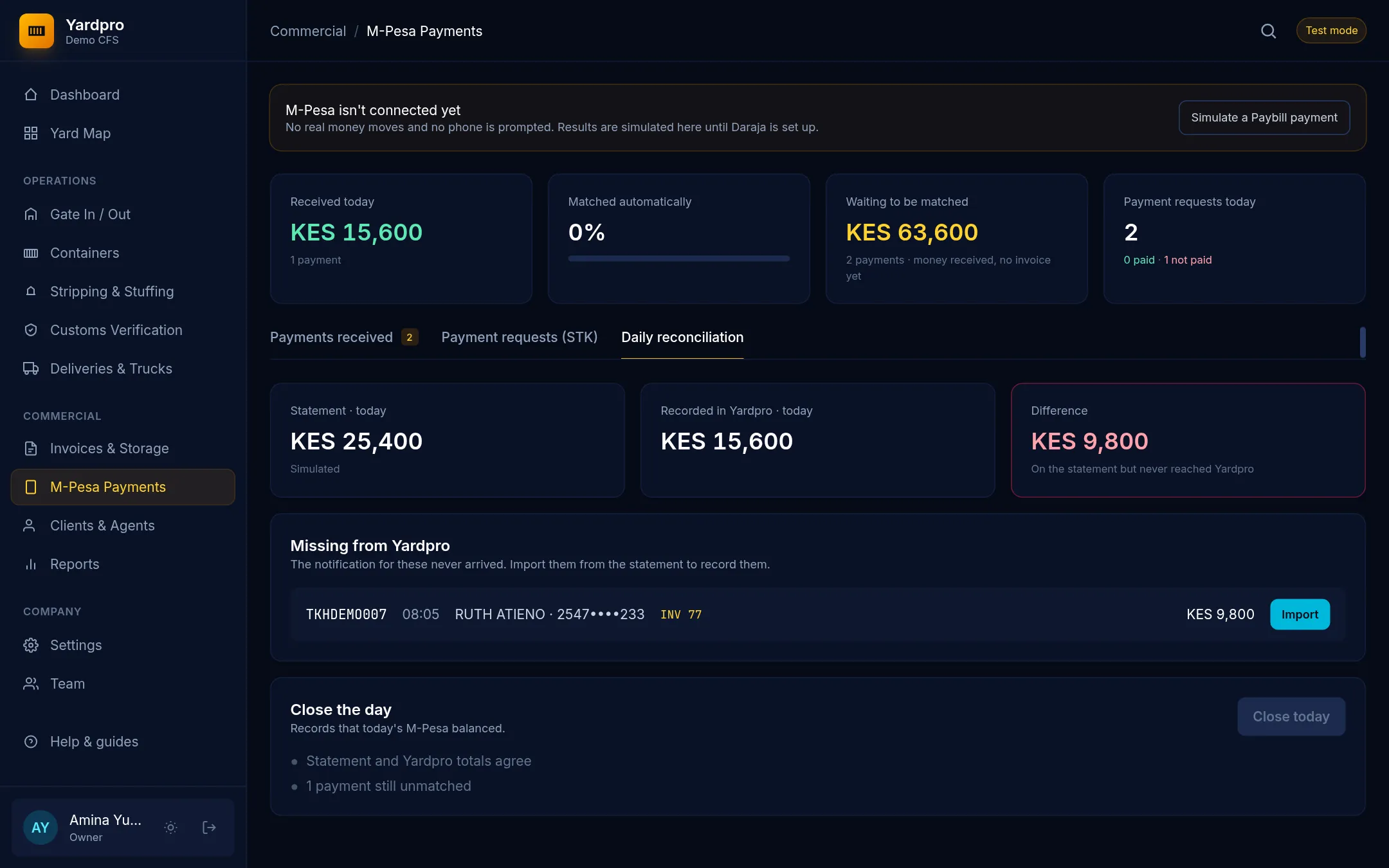
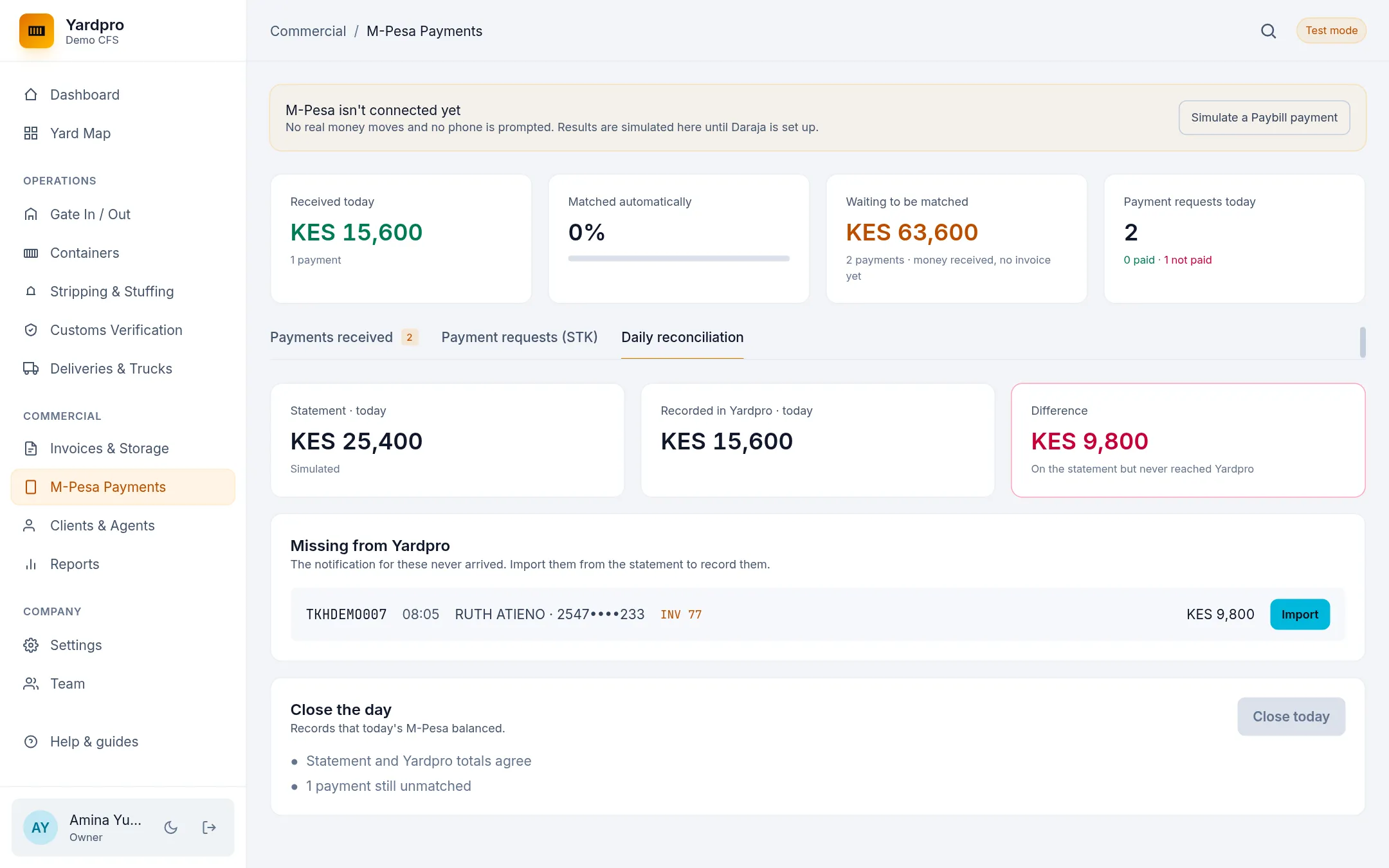
If a payment is on the statement but never reached Yardpro, it shows under Missing from Yardpro. Choose Import to bring it in. When the totals agree, choose Close today.