Stripping takes cargo out of a laden container and into your warehouse. Open Stripping & Stuffing and choose New stripping.
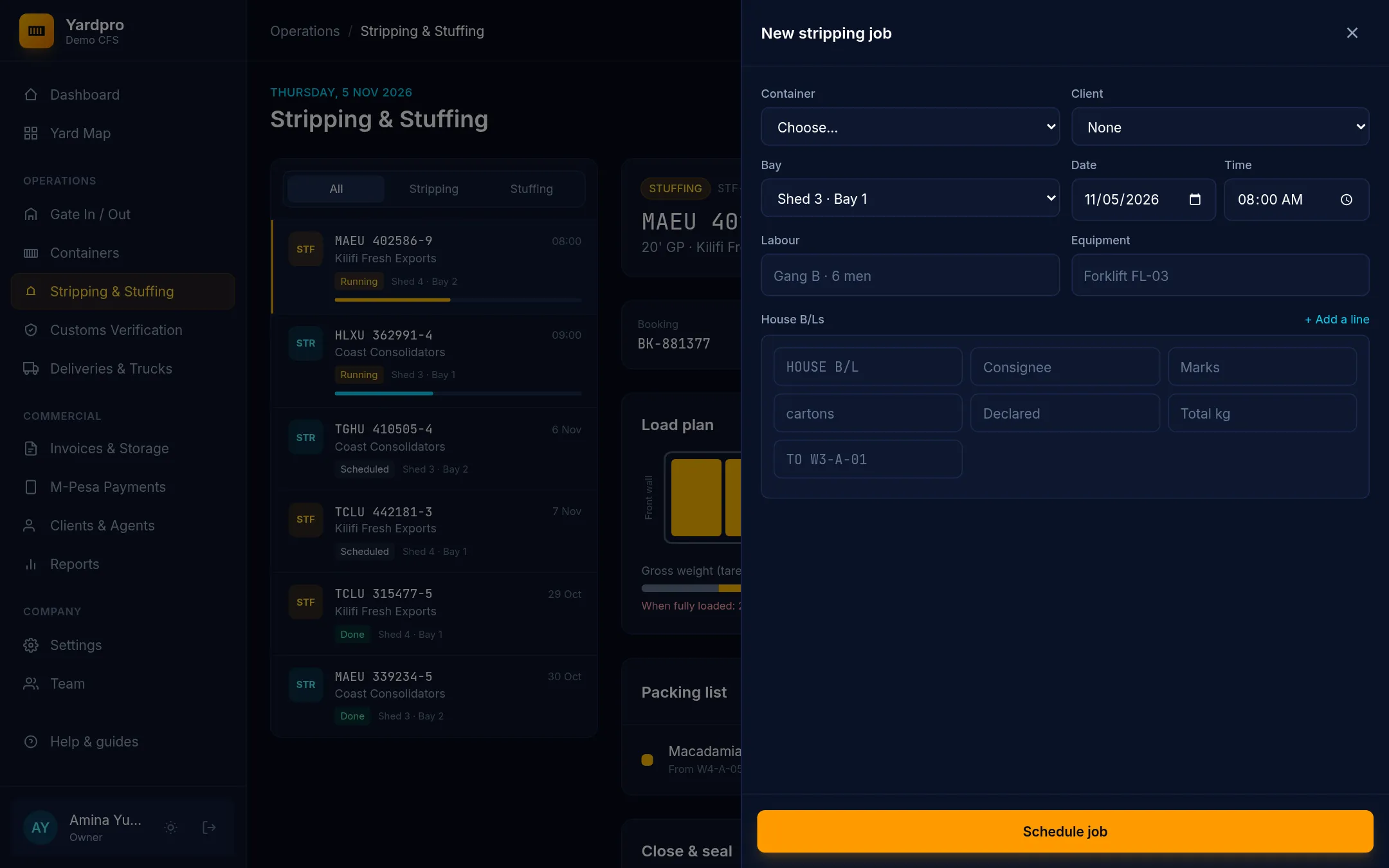
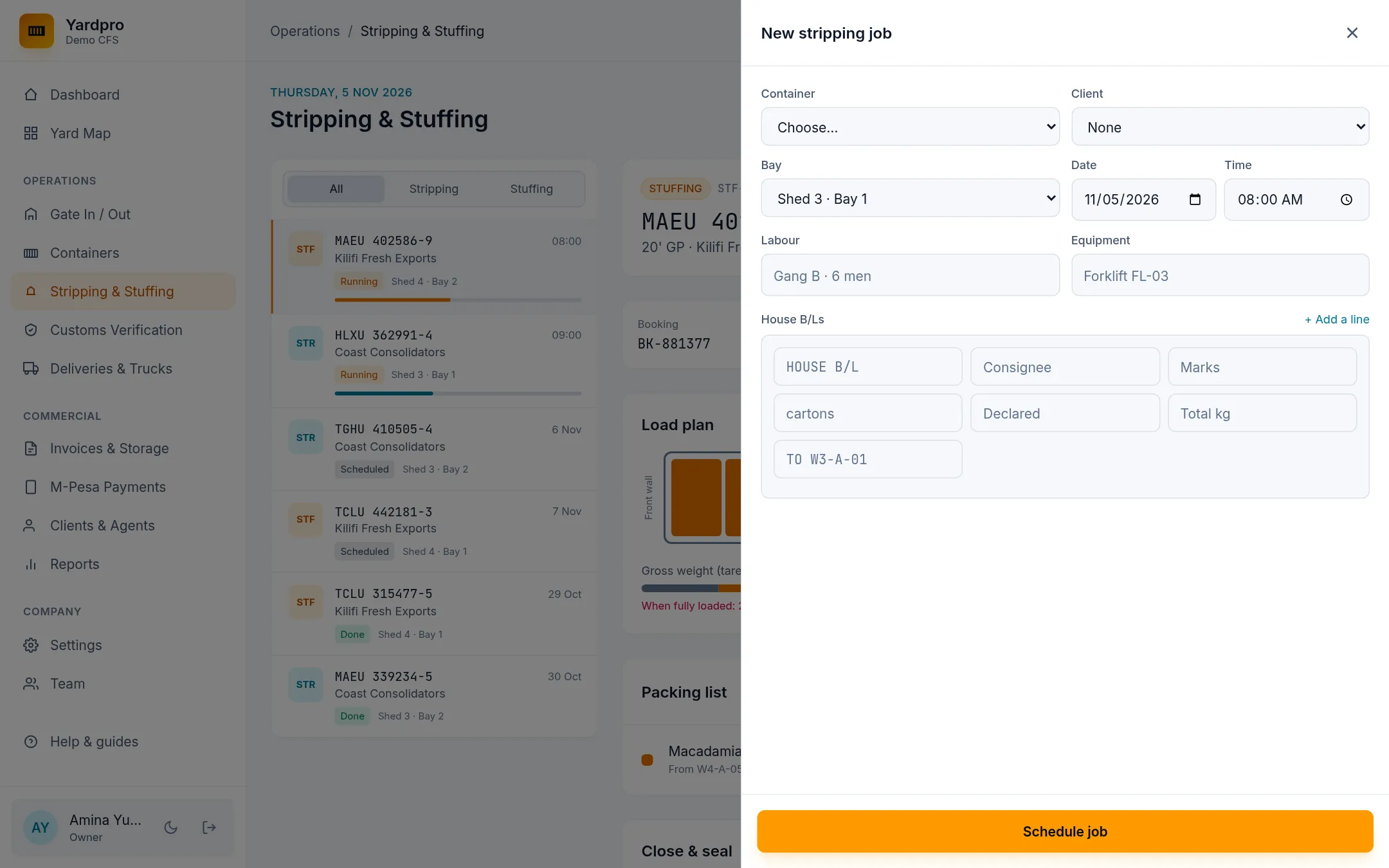
Schedule the job
- Choose the Container, the client, the bay, the Date and the Time.
- Add the Labour and Equipment if you want them on record.
- Add a line for each house B/L: its consignee, marks, package type, declared quantity, total kg and warehouse location.
- Choose Schedule job.
Start and tally
Select the job and choose Start job. Yardpro moves the box to the bay, which must be free.
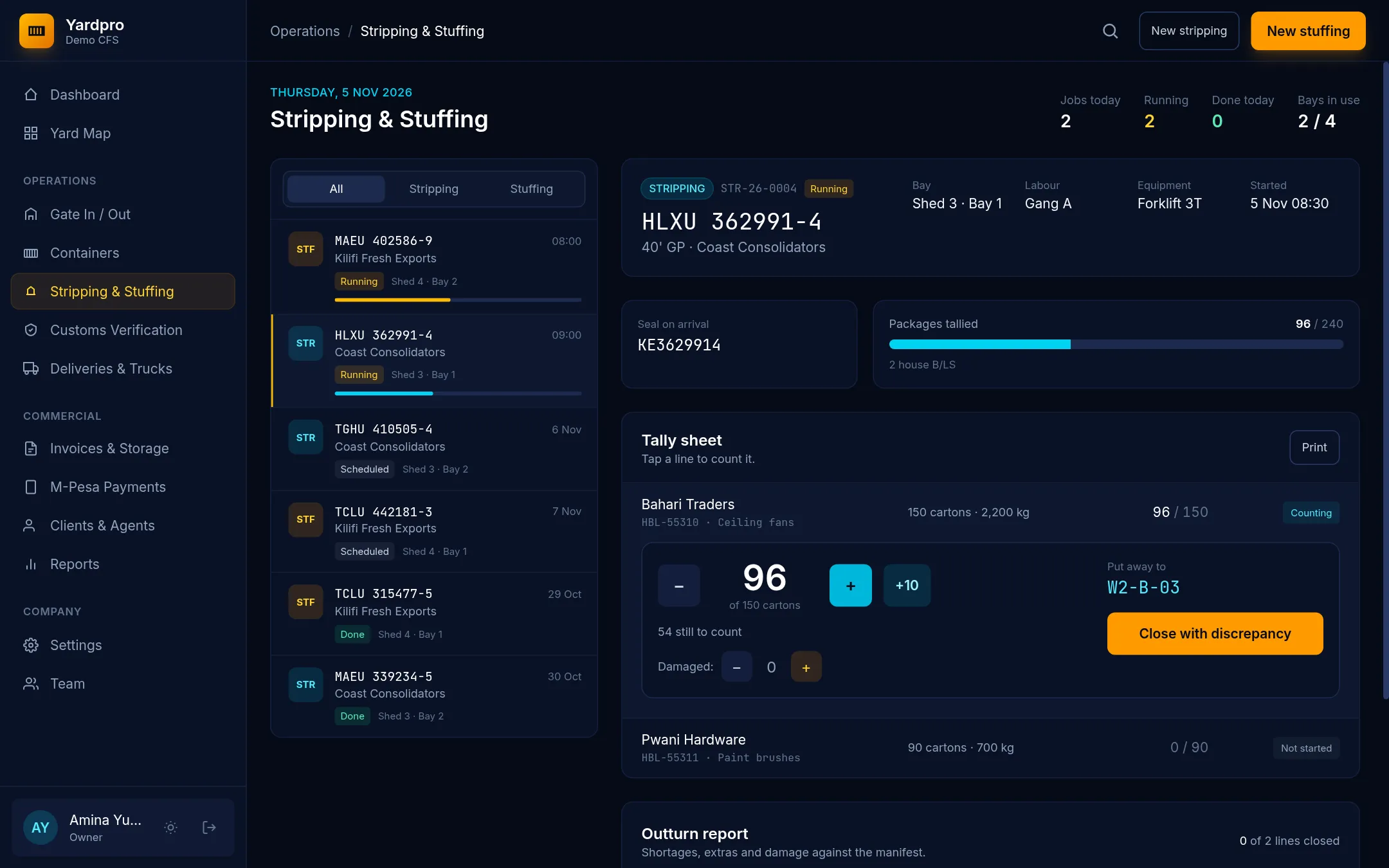
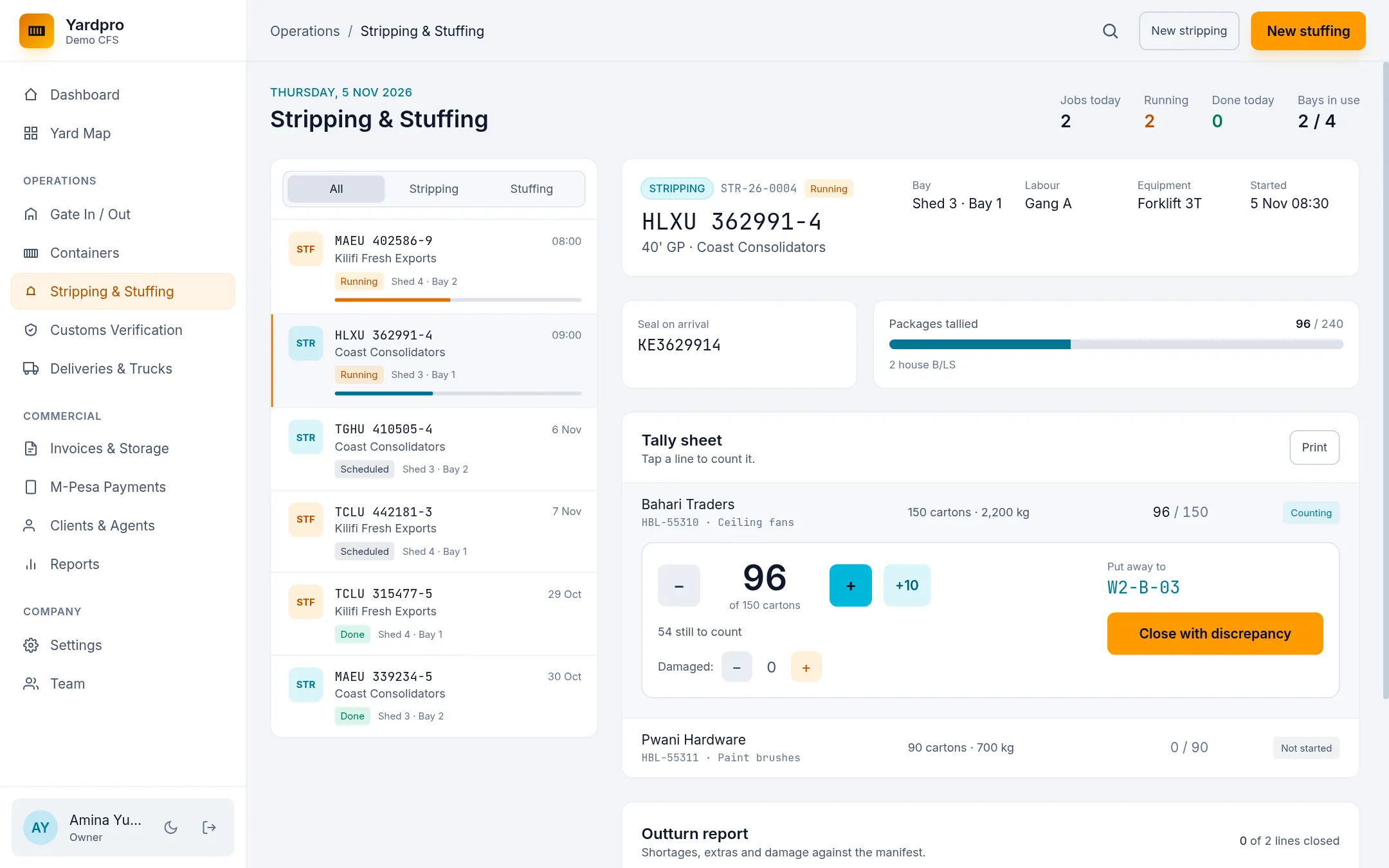
On the Tally sheet, tap a line to count it:
- Use +, − and +10 to count packages.
- Use the Damaged buttons to record damage.
- Check the Put away to location.
Close each line when it’s counted. If the count doesn’t match what was declared, the outturn shows the difference.
Tip: Two tablets can count the same line at once without losing counts.
Finish
Once every line is closed, choose Finish job. The box goes back to a yard slot as an empty, and its cargo stays in the warehouse as loose cargo.
Choose Print to get the Outturn report, which shows shortages, extras and damage against the manifest.
Next
Loose cargo must be released and billed before it can leave. See Release and collect loose cargo.