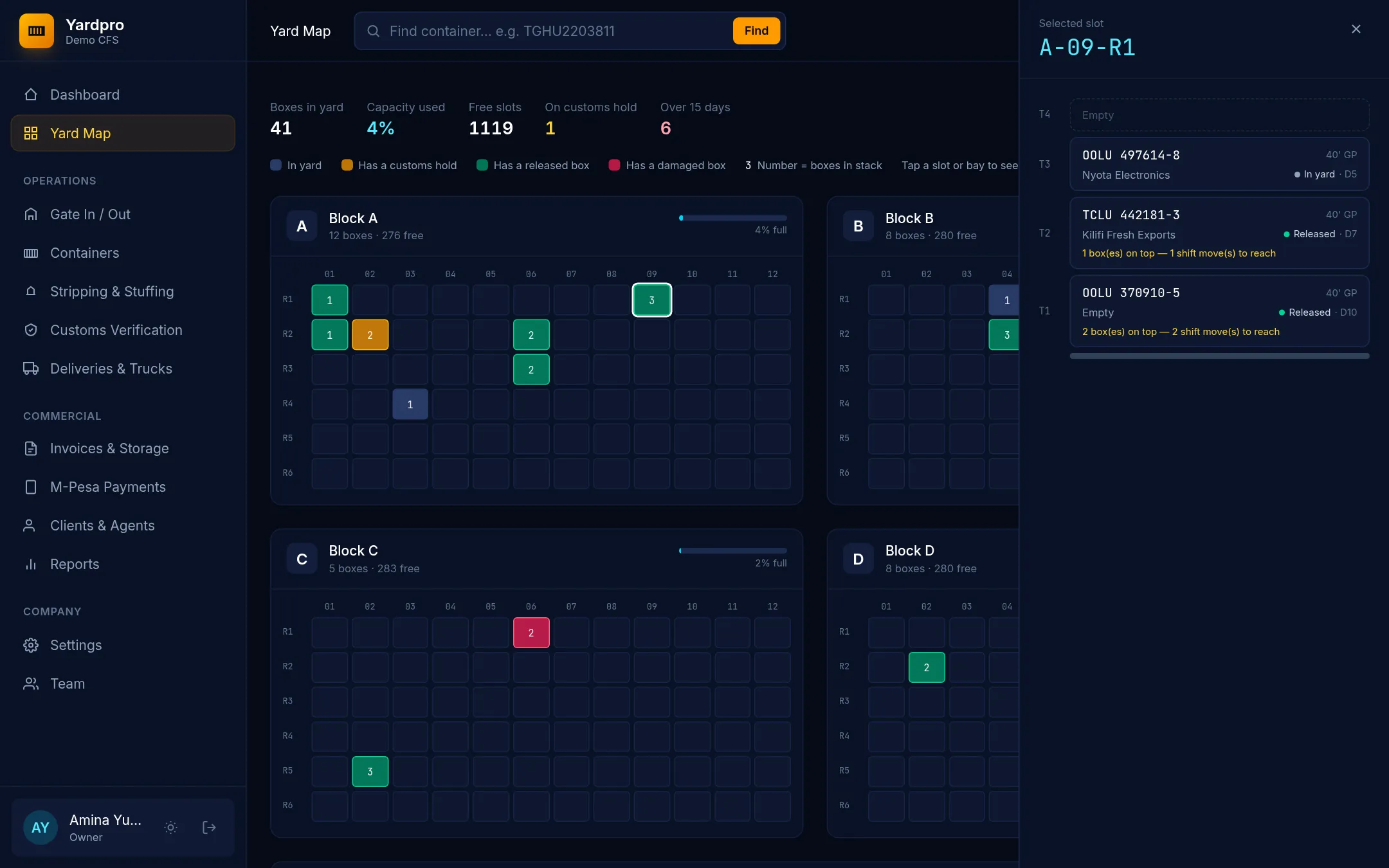
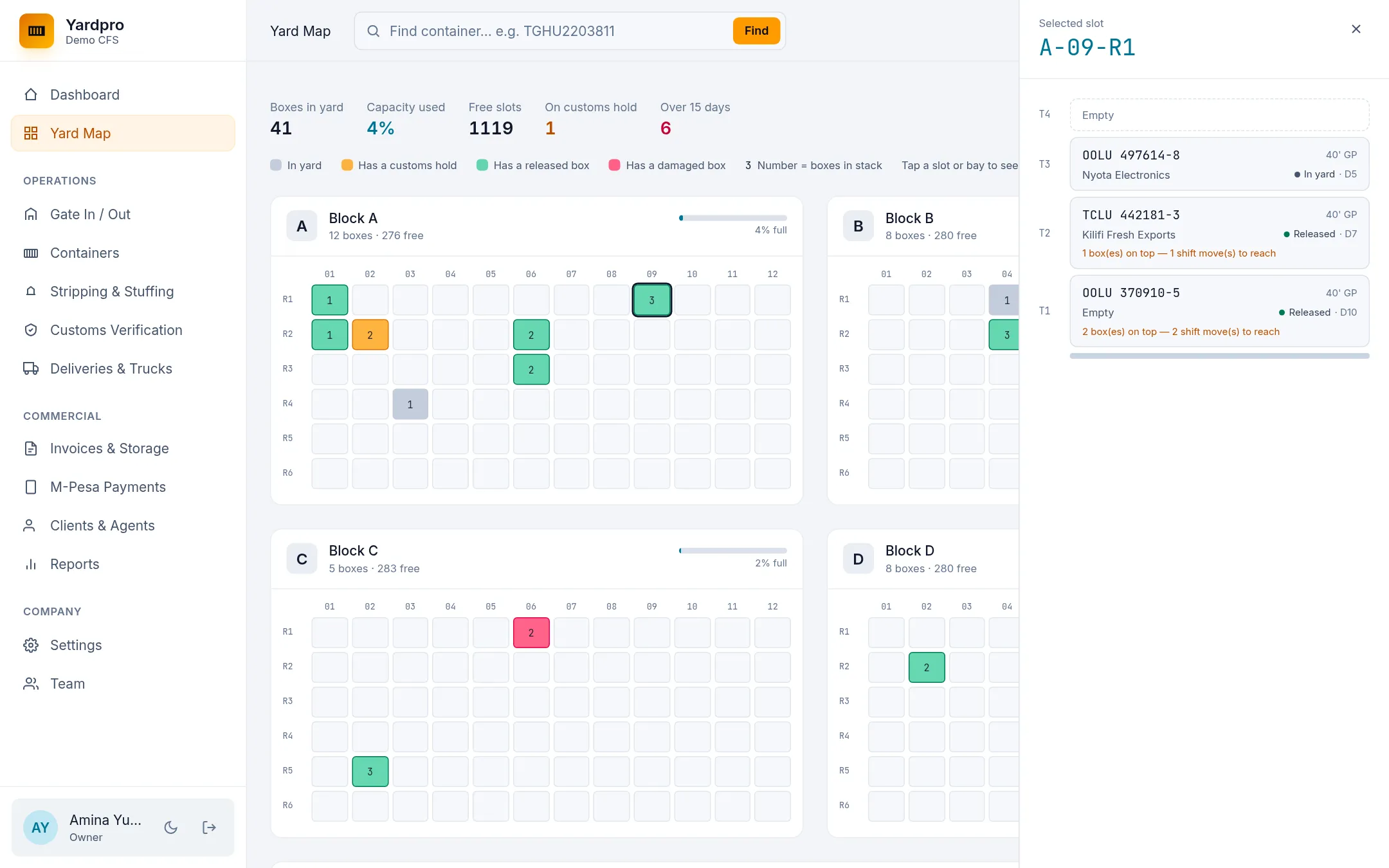
The Yard Map shows every stack, reefer plug and shed bay. The number on a slot is how many boxes are in that stack.
How slots are named
A slot like A-04-R2-T1 means block A, bay 04, row R2, tier T1. Tier 1 is the ground.
Colour the map
Under Colour by, choose what the colours mean:
- Stack height shows how full each stack is.
- Status shows customs holds, released boxes and damage.
- Days in yard shows what’s been sitting longest.
See what’s there
Click a slot, shed bay or reefer plug. A panel slides in from the right showing the boxes there, with their client, status and days in the yard. Click another tile to switch, and press Esc or × to close it. Click a box to open its record.
If a box has others on top of it, the panel says how many shift moves it takes to reach.
Find a box
Type a container number in the search box at the top and choose Find. Yardpro highlights where it is and opens the panel.
Tip: The panel covers the right of the map. Close it to reach the tiles behind it.